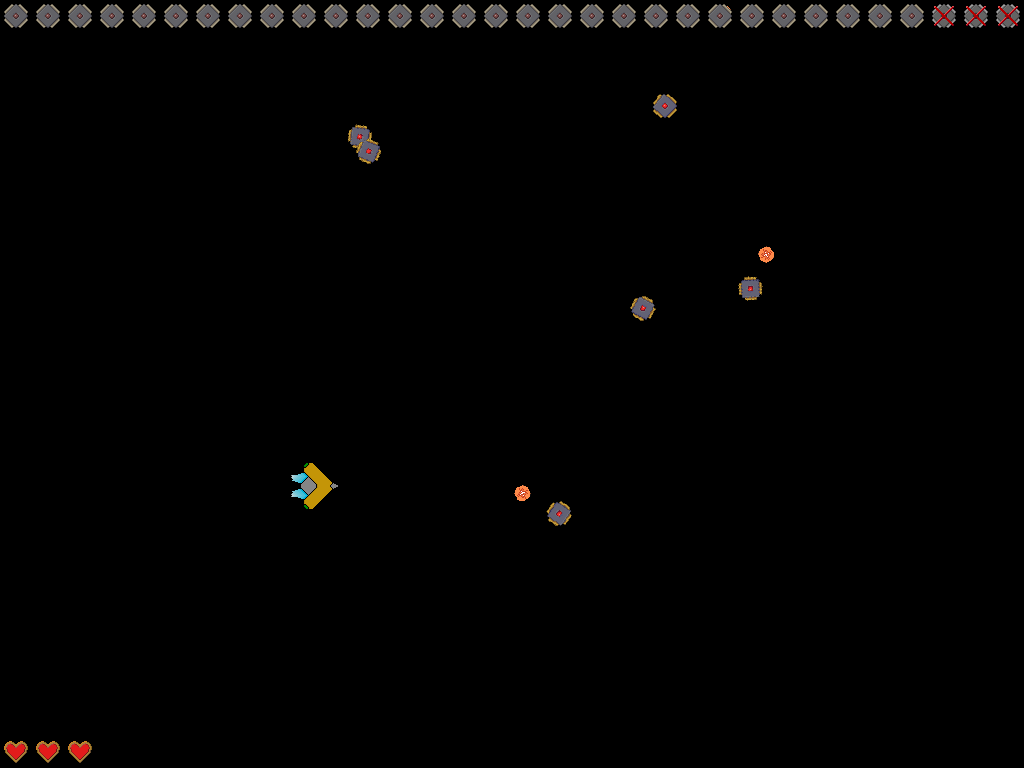
Though it felt like an instant, a week has already passed. I spent my evenings banging rocks together, and a spark emerged. Roll the tapes!
This is not the most riveting game of all time, so I tried to combine all of the game's features (and bugs) into a single segment instead of making you watch a full playthrough. If you're curious, you can check out the code here.
What I got done:
Basic breakout gameplay, knocking a ball around with a paddle
Multi-hit blocks, walls
Moving blocks
Velocity transfer from moving objects to the ball
I wanted to try a slightly different formula, so instead of bouncing the ball at different angles based on where it hit the paddle I made the paddle give some of its velocity to the ball. I think using paddle movement to 'aim' the ball is a neat idea, but it's a little odd in practice. I'm not sure if I'll keep the idea or try something else next time.
The game itself has a couple of physics bugs as well. Both of them are totally fixable, I know why they're happening. Unfortunately, I simply ran out of time at the end and didn't get a chance to resolve them.
To sum up my thoughts about DFGame after this: It's handy, but needs more time in the oven.
The main drawback of DFGame is that as a C API it's pretty wordy. There are ways to improve this, and most of them involve adding more 'shortcuts' for common stuff to the API. The final game was ~800LoC, which isn't bad, but I think I could cut a quarter of that just with helper functions and refactoring. Since DFGame is my project, that means that any future project using it will have to account for framework development time as well.
To anyone reading this on the same day that I post, Merry Christmas! Here's a little present: This year's final Halberd-related blog post.
Of my current priorities on Halberd, one of the biggest is building and integrating a property grid. I think this is a very interesting endeavor, and hopefully you'll see it the same way!
So what's a Property Grid?
When I spoke to some (programmer) friends about this, I was surprised to find out that some of them didn't initially know what a property grid was. So, let's start with definitions.
As the name implies, a property grid is a ui widget that lets the user inspect and edit the properties of an object. It usually amounts to a list of named fields, and you can find one in just about any game engine. Here are a few examples:
UE4's 'details panel' is a form of property grid
As expected, Unity's inspector panel is another good example
The ActiPro Windows UI framework also features a property grid
The GTK UI builder, Glade, also features something in this vein
If you're a game developer, you've probably figured out by now that property grids are a really important game development tool. This is even more true in RPGs, due to the large amounts of 'database' assets which lend themselves well to this type of UI pattern.
Digging deeper: How does a property grid work?
Like any programming problem, there are many ways to implement property grid functionality. However, I'd put most methods into one of 3 groups: Inspected, Declared, and Fixed. These are just personal categories, not proper terms, but I think they showcase some real differences.
An Inspected property grid assembles itself by looking at real game data and converting it to ui. This is typically done through Reflection, either by looking at data in a scripting layer or with a language that natively supports this, such as C#. For languages that can't do this out of the box, a dynamic class/property system can be added on top of the normal code. Examples of such systems can be found in Unreal Engine 4 and the GObject framework.
A Declared property grid is also dynamic. However, instead of inspecting objects at runtime it queries their information from a predefined source, such as a schema or similar descriptive document. Then, it sends data back and forth via Serialization instead of reflection. The result is less flexible, but it's also simpler and the underlying game code may be more performant since dynamic properties aren't necessary.
Finally, there is the Fixed property grid. I call this a property grid, but that may be an overstatement--this grid is essentially just a hard-coded bit of ui for interfacing with an object. By its nature, it's quite simple and totally static. Of course, it's also difficult to maintain and requires constant updates as the underlying data changes.
Depending on your use-case, any of the above can be valid approaches. The fixed solution may seem bad, but sometimes it's the best option: You don't need a powerful and complex solution just to edit a couple of fields.
What have I got?
At the moment, Halberd is stuck with the fixed style. I went for this solution early on to avoid getting bogged down while developing my proof-of-concept, but the scaling problems of this approach are starting to appear.
The general process of adding a new property to an object right now is:
Add the property
Add serialization for saving/loading
Add simple getters/setters for editing
Add the property to a Vapi file for interop access
Add the property's editing widget to the ui file
Add the widget code to the editor's vala class, including the signals for changing the property
That's a lot of steps for one property. With a simple property grid, I could skip steps 3-6 entirely and greatly streamline my development process.
A new property grid
With all that in mind, I decided to try out something better. Since most of my code is C, the declared style is necessary. But how to prepare the meta-information about the properties? In my case, it was actually rather simple. Since I already serialize my data to XML, I decided to go with the obvious option: XSD.
For the uninitiated, XSD is an XML-based schema standard for describing other XML files. While intended for databases, with a few additions the result can work quite well for defining a property grid!
The result looks like this:
You might recognize this as DFGame's editor demo which I completed last year. The controls were hard-coded since it was just a viewport showcase at the time, but now the editable parts are totally data-driven!
The schema that the editor is based on is a bit wordy, but pretty straightforward:
One way to reduce the workload even further would be to tie this into a code generation system, but that strikes me as overkill for the time being...
What now?
I've been working on this feature for a few weeks now, but I finally merged it into DFGame's master branch yesterday. The next step will be to try and integrate it into Halberd, I'm sure there'll be more to do but I think this feature is a good investment for future work! Once the property grid's in place, the work will hopefully start moving a bit quicker.
If I had to pin a core theme on the first two weeks of Halberd's production, it would probably be "Raising Questions". As I expected, the nature of the project has forced me to think a lot about how to use DFGame properly. Because this project is both very different and much larger than previous any work I've made using the framework, many unknowns in DFGame are being brought to light for the first time. Let's discuss a couple of them!
Modules
With DFGame, it was always my goal to add less 'core' features as optional modules. I had a pretty good general idea of how this was going to work, but I'd never actually tried doing it until recently. I needed a new DFGame module for handling tilesets and tilemaps in Halberd, so I finally gave it a shot.
I'm happy to report that it worked pretty smoothly! Everything mostly worked out of the box, even the OpenGL shader embedding Just Worked™ how I wanted it to with basically no modifications. The only thing that I had to figure out was how to properly use relative filepaths in Meson subprojects, and that only took about 5 minutes.
This good first impression was very reassuring, and has me excited to expand DFGame even more in the future.
Lost & Found
In less positive news, working on Halberd has also exposed a massive flaw in DFGame's design: None of the assets have any idea where they came from. In normal circumstances, this doesn't really matter. Who cares if that sprite doesn't know where it loaded its textures from? As long as they're correct, the game will work fine regardless. Even in a level editor, it doesn't matter too much (since you ought to be using the same backend as the game anyway).
Unfortunately, this information is vital when building something like Halberd. After all, how could you possibly update a tileset, when you have no idea where to save it? Even if you track the path you passed to the load function, that won't help much when you realize that you also need to write the texture's filepath in the same file.
Clearly, this is a pretty major roadblock. There are a few ways to solve this problem, but I'm still considering my options. I want to be sure that the choice I make here won't screw me over later.
Conclusion
It may seem negative to see new problems crop up, but I see it as a positive. The sooner I'm faced with unknowns in DFGame, the sooner I can test them (and fix them if needed). I don't expect anyone else to ever find and use DFGame, but on the off-chance it happens someday I'd rather have all the big questions ironed out ahead of time. In the more immediate future, having the answers to questions like these will also simplify any future projects with similar needs.
Besides the occasional trip-up, progress on Halberd's MVP has been going smoothly so far. Since I'm writing this update, I may as well post a progress screenshot while I'm at it. Here's the current state of the tileset editor:
Click the image to view a larger version
It's not the prettiest, but I think it's a pretty solid MVP-level feature. Now, I just need to keep going and finish the rest!
Hello again, readers. It's been quiet around here lately, but that changes today. For the first time in quite a while, I'm releasing a brand-new game! The game is called Cloudy Climb, and it's--wait a second, we've done this before!
Not Quite a Remake
Yes, that's right. I've made a second Cloudy Climb. Like most of my projects, I was never really happy with the original. More importantly, I was in the mood to make a game. I've been working on this version for about 2 months, and I think it's finally reached a point where I can call it 'done' and not feel bad about it.
You can get the game via the widget below, or take a look at the git repo here.
A Postmortem for Our Dear Prince
While I still have your attention, I'm going to do a write a quick postmortem for Cloudy Climb. Postmortems are a very useful tool that I don't use nearly often enough. So, let's get to it!
The Story
I started Cloudy Climb during the last week of December, mostly because I was bored. After DFGame and Singularity taking most of last year, I was in the mood for some simple game development. I also wanted to see how well DFGame would fare under Game Jam-esque constraints, so I set myself a time limit of 1 week.
As we're all well aware, it took a little bit longer than a week. I got the basic mechanic and some of the graphics done in a couple days, but I got sick around the 4 day mark. Since I wanted to make something decent (and this wasn't really a game jam anyway), I decided to spend a few more weeks taking the game to a more finished state. Then, I just decided to take "as long as I need" to get the game into a relatively solid finished state.
In late January, when the game was really starting to come together I finally revealed its existence to some of my friends. Besides being friendly, I primarily did this to gather feedback. I started with this video:
...And slowly polished things over the course of a few more:
With the feedback gathered from my work, I completed the remaining assets and now we're here!
What Went Right?
Feedback! I'll be gathering more of that in the future. My friends caught a lot of little things that I was able to fix ahead of release. For a good example of that, listen to the stage end jingle in the last feedback video. One of my good buddies pointed out that it was too drawn-out, and I ended up cutting the final note out. I think it sounds a fair bit better as a result.
There's also the really nice spike animation, which involved a bunch of critique passes in a pixel art community I found. I think the difference of quality there is very clear compared to the rest of the game's art.
Field Testing! One thing that I got out of this that I find really valuable is the
experience of using DFGame on a non-trivial project. It's been really
enlightening, and I'll be making (and in some cases, have already made)
several changes to the API as a result.
Requirements! Because of this project, I was finally forced to get off my butt and learn audio. I'm still very bad at music, but I still think much of the game's audio is a good step up from previous games. I've taken the first step, now I just need to keep practicing.
What Went Wrong?
Rushing! A number of the assets could be much better, but after spending the better part of a weekend just making that spike ball I decided to try and make things "good enough" and move on. Frankly, it shows! Most of the art is pretty ho-hum, and it could've been much better if I'd taken the time to flesh it out and get critique. This was supposed to be a quick filler project, so I'm not too upset at the quality, but it's still a clear weakness.
Procrastination! I spent a long time finding tasks that didn't involve audio to do. This resulted in my last few weeks being almost nothing but music and sound, which got old pretty fast. It also means that the part that was my weakest skill also got the least amount of dev time! If my old drafts are any indication, the music would probably have been significantly better had I been iterating on it from early in the production.
The Core Design of Your Game, You Numbskull! So this is kind of a big one: Cloudy Climb's concept is pretty awful. The game works pretty well as an "infinite runner"-style game like the original, but the value doesn't translate well to a level-based platformer (in my opinion) for a few reasons:
There's very little room for 'soft' failure states. For obvious reasons, messing up your movement always means death.
Your character's only means of interaction with the world are 'bounce' and 'bounce, but moreso'. One could envision a game with one or two additional player actions, but the base concept pretty much requires one of the primary actions in the game to also be the basic movement.
The game is extremely vertical, but the platform (PC) uses a horizontal aspect ratio. What's more, you move up and down pretty quickly thanks to gravity. A metroid-style camera would've helped, but I don't think it could've magically fixed the problem.
Takeaways
So the game didn't come out great, but at least most of my sins are pretty fixable, and a quick gander at this ancient postmortem indicates to me that I'm capable of learning from my mistakes. I put off much less of the content this time around, my code was perfectly fine, and I had a tight scope that grew organically to fit my needs and capabilities. Much like the game, the development process was distinctly not terrible! So here's my big lesson:
Iterate and get feedback on your big mechanic from the start, and make sure that your game is always presentable. That means taking the time to make assets (or at least decent placeholders), to ensure that you're always engaging with every aspect of the work and not leaving anything for the end.
There's More!
Even though this project is finished, I'm not moving on just yet. During the project, I found a few bits of technology that I want to explore, and this seems like a good opportunity to do just that. I'll be using this game as a testbed to get a feel for them, then I'll move on to something new. I also got an idea for a short tutorial/informative article based on some of my work on Cloudy Climb, so I'll be working on that as well.
I planned to take a break from DFGame, but I happened to be in the mood to play around with the editor module. I ran into some issues while working on a new demo, and ended up having to do a few hours of research to get things working. Then I thought to myself: "Gee, someone else is bound to have this problem. Maybe I should write about it!"
What's New?
Sometime last year, I learned how about this cool feature in Vala, and started using the Glade UI editor with my software projects. However, it was only recently that I learned about a way to add custom widgets (such as DFGame's editor widgets) to Glade for graphical editing. Naturally, I had to give this a shot for the new and improved DFGame!
Let's discuss what went wrong, and how I solved these problems.
Problem 1: Nothing Happens?
It took quite a while for me to actually get any new UI elements to appear in Glade. There were a couple issues that caused this, primarily thanks to the documentation being rather vague about about how templates work... at least until you notice the tiny "next" button. Let's look at the example widget catalog that the documentation shows:
<glade-catalogname="foo"library="foo"depends="gtk+"><init-function>my_catalog_init</init-function><glade-widget-classes><glade-widget-classname="FooFrobnicator"generic-name="frobnicator"title="Frobnicator"/>
... widget classes go here
</glade-widget-classes><glade-widget-groupname="foo"title="Foo"><glade-widget-class-refname="FooFrobnicator"/>
... widget class references go here
</glade-widget-group>
... widget groups go here
</glade-catalog>
The difference between "name", "generic-name", and "title" isn't immediately obvious. If you look at a later page, there is an explanation:
"name" is the name of the widget's class in code. It also seems to be used for class references in widget groups later in the file
"generic-name" is used internally, I guess? Still not 100% sure on that one
"title" is what the user will actually see in Glade
Unfortunately, this still wasn't enough because there remained an underlying problem to address: I write my Gtk code in Vala, but Glade only cares about GObject C. For the unacquainted, Vala acts as a wrapper language of sorts, and gets converted to GObject C for compilation. This means that there are two more things to adjust:
First of all, the class names are different. C lacks namespaces, so in order to provide them Vala adds each namespace onto every class that you create. In my case, this meant changing "Viewport" to DFGameViewport.
Next, there's a less obvious issue. Vala generates something referred to as a "get type function" which does something? I assume it either returns something that represents the object's type, or it returns an instance, but I don't have enough experience with GObject to know for certain. Glade overrides this function to create placeholders, but it apparently guesses the function name based on the "name" value that's passed in. In my case, I had to pass in the function name explicitly in order to make the catalog work. This is probably just a quirk in Vala's naming conventions, I suppose.
Once that was out of the way, Glade finally displayed my new viewport widget for DFGame and all was well, right?
Problem 2: Nope, That Doesn't Exist
As any seasoned programmer will tell you, life is never simple.
The fixes above were enough to let me create the UI for a new demo, but once the time came to actually test it out the UI wouldn't load! Instead, I was left with a cryptic message:
"(demo_editor:24355): Gtk-CRITICAL **: Error building template class 'MainWindow' for an instance of type 'MainWindow': .:3:4733 Invalid type function 'df_game_viewport_get_type'"
...???????!!?!??!??!?!!!??!!?! The class was there. I could see it in the code. The library was definitely getting linked. So why then did it fail? Given a good couple hours, I was unable to answer this question. Luckily, the internet came through for me. All I had to do was slip in a single line of code at the start of the program
typeof(Viewport).ensure();
...and that was enough.
Takeaways
This little experience further cements my thoughts regarding Gtk and many GNOME technologies, and I thought I'd discuss that briefly before as this post wraps up.
I like working with Gtk, Vala, and so on, but I think many of these technologies share the same problem. At the same time as GNOME works to streamline the design of its software and simplify things for normal users and new devs, there's this weird dropoff point where most docs past the beginner tutorials assume that you understand the technology stack and just need a quick reference.
The result is (presumably) "intermediate" devs like myself getting lost and confused after their gentle start suddenly drops out from under them. Thankfully, I ran into most of those issues a couple years ago, but occurrences like this one remind me that they still exist.
So I guess today's lesson is...maybe I should try writing a couple mid-level Vala/Gtk tutorials? Maybe GNOME needs more acknowledgement of their newer users and non-C APIs? Beats me.
Another month has passed, and it's time for a new update video:
Additional Comments
In addition to these demos, I also made a few nice additions to DFGame's API. Since it's mostly a grab-bag of small additions, here's a list:
Predefined colors to use for rendering
Simplified main loop function
mesh_render can also bind mesh attributes, which had to be defined separately before
hashmaps can now be told to delete their contents when being destroyed
sprites can be told to delete their source when being destroyed
Window init now enables transparency and depth testing by default
Function to create a new 2D camera based on a window's dimensions
Added transformation macros for cameras, to simplify transform_FOO(camera_get_transform(c)) syntax to camera_FOO(c)
Added a simple version of "copyadd" to data structures, which measures and copies non-pointer values
Attempting to lerp int literals now uses float lerp, since that's what most reasonable people would expect
Added an "almost zero" macro for testing floats and doubles
Writing them all out as a list looks pretty impressive, but most of these additions are quick 5-minute changes. Still, it's good to add them in before release.
Goals
Time Left: 3-4 weeks
Logo Demo: Done
Comets Demo: 90%
Heightmap Demo: 60%
??? Demo: Not Started
??? Demo 2: Not Started
I have 2 more demos planned, and a little more work for the existing demos. This puts me at about halfway through, with a month or so remaining. This means I'll have to stay focused if I want to get all of that done, and possibly a game jam as well.
Some Code
As I mentioned in the video above, the Logo Demo was designed to present a simplified example of the init, cleanup, and looping code. To demonstrate that, here's the code:
There are still a few things that could be simplified here, but this is still much less code than would be required without DFGame. That's the primary goal of the framework, so I'm pretty happy so far!
With DFGame's release now imminent, and the upcoming 5-year anniversary of this blog, next month ought to be pretty exciting. Until then, keep on reading!
It's that time of the month again, and I've made great progress!
Additional Comments
In addition to what was mentioned in the video, I also went back and re-added joystick emulation to the input code, as well as adding a few minor features and fixes all around. Besides the lackluster demo, this has been one of the best months for development this year.
Goals
Time left: about 1 1/2 months
Application Module: Done
Audio Module: Done
Core Module: Done
Gameplay Module: Done
Graphics Module: Done
Math Module: Done
Resource Module: Done
As I said in the video, and as is apparent from the list above, I'm just about finished with dfgame for the time being. If you've been following along, you've probably noticed that I quietly removed particles from the goal list. This is because particles are a bit of an unknown for me.
"But wait!" I hear you cry. "Didn't DFEngine have particles?" This is correct, but DFEngine's implementation was super basic and not very good. My standards for features, while not amazing, are definitely higher than they used to be. If I were to make particles now, I'd want to use the GPU or at least some form of SIMD to get good performance. I played around with GPU particles last summer, but I ultimately ran into a few issues that halted progress and moved on to other things. A decent particle implementation will take some research and effort, but I don't know how much so I'm putting it off for the sake of polish.
Some Bad News
The main goal of my "End of August" timeline was to use dfgame for an actual game jam entry. Unfortunately, I just found out that for the first time in 15 years, Ludum Dare is being held at the end of July. Why? I have absolutely no idea. I could theoretically still enter, since dfgame's release is now feature-complete. However, I would be sacrificing about 50% of my polish time to do so.
Instead, I'll just keep an eye on the itch.io game jams page and select one in the right general time period.
As for next month's posts...beats me, I forgot to plan anything. Whoops!
I had some difficulty capturing/rendering this video. Last time, I used glc for the video capture. However, glc's audio recorder is really buggy and doesn't work on my machine. It's also quite old, so I'm worried about relying on it too much. This time I made a recording with FFmpeg, but it's just a normal desktop capture so it's a bit slower than I'd like. Next time, I'll probably try to capture the video and audio separately. It might be annoying to line the two up in editing, but it will probably result in a higher-quality video.
The big gain from rewriting the audio system is that multiple audio players should now be able to play audio from the same source at the same time. This means that I don't have to reload a sound effect every time I want to use it, and instead I can easily load once and play hundreds of times. As you can guess, this is really useful for games where you could easily have a couple dozen objects that can make the same sound.
Goals
Time left: about 2 1/2 months
Application Module: Done
Audio Module: 95%
Core Module: Done
Editor Module: Not Started
Gameplay Module: 80%
Missing joystick emulation for input
Graphics Module: 65%
Missing sprites
Missing text
Missing framebuffers
Missing particles
Math Module: Done
Resource Module: 65%
Missing sprite loading
Missing font loading
This month went a little slower than I'd hoped, and some of the code that I wrote feels a bit rushed. As a result, I'm going to need to do another quick pass on the audio and resource modules at some point, just to tighten them up a bit. That's not what I'm doing for June, however. I want to get the last couple essential features, sprites and text, done. This will happen as part of a greater attempt to finish off the graphics module as a whole. I don't expect to finish all of it this month, but it wouldn't surprise me too much if I could sneak framebuffer support in.
If all goes to plan as it has so far, I'll have over a month left over to clean up any loose ends and improve my workflow in preparation.
Next month's posts will feature lots of Linux shell scripting. Much like in May, I'll be kicking off next week with some more organization work.
Today, I'm doing something a little bit different: I've created a video for this update!
Additional Comments
It has been a while since I last posted any videos, and this is my first attempt at making something more detailed than a simple playthrough. In my opinion, the result is ok. I think it was a pretty good decision, given that I mostly worked on graphical stuff this month.
The video contains an overview of the update, but I wanted to add a couple of details that didn't make it in:
Axis inputs received a few changes that I didn't mention. First of all, they are no longer 2d. Each axis is independent. They're also missing the "joystick emulation" input smoothing at the moment. I'll be adding that back at a later point.
I've made a ton of bugfixes this month. There were a lot of things (especially in the core module) that didn't quite work, but testing them didn't seem worth doing until I had an actual use for them. Now that I'm building demos, I'm running into the issues and fixing them naturally.
Lastly, I've written a bunch of macros for printing out certain structs to logs. This makes debugging much easier, because I can quickly print out the value of a matrix/vector/quat with little effort.
Goals
Let's start with the current state of the project:
Time left: about 3 1/2 months
Application Module: Done
Audio Module: Not Started
Core Module: Done
Editor Module: Not Started
Gameplay Module: 80%
Missing joystick emulation for input
Graphics Module: 40%
Missing sprites
Missing text
Missing framebuffers
Missing particles
Math Module: Done
Resource Module: Not started
I'm making pretty good time right now. My goal for May is to knock out the Audio and Resource modules, which will leave me a couple months to reimplement the more advanced graphical features and make API easier to use. I've decided not to bother with the editor module for now, because it won't be useful for game jams and concept work. Instead, I'm going to work on it after the deadline has passed.
Next week, I'll be unveiling a new schedule and discussing my forays into Taskwiki in more detail.
I haven't written much about DFGame in a while. At the end of last year, I gave the project two small paragraphs but didn't get into any specifics. In this post, I'll be getting you back up to speed on the project's status and where things will go from here.
The plan
When I started going back over DFGame, there were a few outstanding problems:
The build system
DFGame was started before I learned about Meson. As a result, the library was being compiled with a makefile. In order to make the project fall in line with others (and hopefully organize it better) I needed to ditch the makefiles and switch over to Meson.
Changing the way that your code compiles can be a bit drastic, especially if the two systems aren't very compatible. In order to simplify things, I decided to try and build each module of the framework as I got to it.
The modules
DFGame was started not long after I started breaking my code up into modules.
For the uninitiated, modules are pieces of the codebase that are separated from the rest, and typically compile separately.
This allows programmers to use their code in multiple projects, or have multiple applications in their project that share the same code in the backend.
As you can imagine, this is a good thing.
The problem with DFGame was that I didn't make enough modules.
I broke my code up into five parts, based on whether it was editor or game code and frontend vs backend (plus one for common code).
The result is that the common module was a gigantic mess, with 46 code files spanning subjects from audio to rendering to error logging, and everything in-between.
At the tail-end of last year, I decided to try and separate things further. Now, I have 7 modules: Application (game frontend), Audio, Core (logging, memory, etc.), Editor, Graphics, Math, and Resource (asset loading/management).
This keeps the different aspects of my framework separated in a more logical fashion, and makes it easier for me to find what I'm looking for.
Inexperience
I don't claim to be an expert, especially not at C.
I spend a lot of time programming and practicing, but I still learn new things every day.
As a result, there are many small lessons that I've learned since I started working on DFGame.
As my knowledge of programming has improved, I've found better ways to do the things that I've already done, so the temptation to rewrite things follows.
With that said, I'm trying to preserve as much as possible.
I'm keenly aware (from experience, of course) that rewrites can seriously slow things down, and I want to try and get things sorted out at a decent pace.
To that end, I'm going over each file individually to try and improve what I have without scrapping it.
I hope that this methodical approach will save some time over a simple redo.
Where are we now?
I've finished going through the core, math, and application modules, and now I'm working on the graphics module.
Unfortunately, that means that I don't have much to show for my work yet.
I do have this stylish hot-pink triangle though:
Thrilling, I know!
Now that things are showing up on-screen, I expect to have more to show in the coming weeks.
Coming up
Now that I've caught you up to speed, you might be wondering what I'm planning on in the long term.
I'm not the best at keeping to my plans, but I do have a goal that I'm aiming for.
In about 4 months, it will have been 3 years since I last participated in a Game Jam (aside from 7DRL, of course).
That makes me sad, as I really enjoy doing them.
Looking at the games page on my site, it seems like when I started DFEngine and AMAZE I mostly much stopped doing game jams altogether.
This year, I want to turn that around. To accomplish this, I'm setting myself a deadline now: I will have DFGame ready for an initial release by August, and I'll compete in Ludum Dare around that time. From my experience, the Ludum Dare game jam usually falls smack dab in the middle of something important and college-related, either the beginning of a semester, finals week, or the move back home. In other words, it wasn't really convenient for me to compete back in college. Now that I don't have a weird seasonal schedule to work around, it seems like a good way to get back into the rhythm of Game Jams. I think that the timeframe I have between then and now is pretty reasonable, and I expect to be finished well before my deadline. Any leftover time that I have can be spent trying things out and building tools.
Conclusion
So that's it!
I'm hard at work fixing up DFGame for a release later this year, and hopefully once the dust settles I'll be able to make games again like I used to.
I played around with DFGame last fall, and even though I didn't post the results were promising.
Whether those results will be replicated with future projects has yet to be seen.
Quick Notice: I've made a form to try and see what viewers want out of this blog. There's a link to it below, but just in case you're in a hurry you can click here to get to it as well.
It has been quite a year!
I haven't been as productive with personal projects as in years past, but many things happened ion my life. The biggest two events were the completion of my College Capstone (and my subsequent graduation from Champlain College), and moving to Quebec for a new job. I'm happy with how life is going but these two events disrupted things quite a bit, and I've only just started falling back into a normal routine.
The Year's Bounty
So, what did I accomplish this year? I managed to pull off a few things, so let's review them:
DFGame
This year, I finally put the DFEngine project to rest, and tried a new approach with DFGame. For the most part, I think it has been a success! DFEngine's two greatest sins, in my opinion, were being difficult for new projects and being woefully inflexible, both of which are fixed by its successor.
Of course, nothing is without its faults. As of a few days ago, I started refactoring/rewriting parts of DFGame. I don't plan on throwing everything away, but I'm hoping to make the codebase cleaner and better commented, while also filling much-needed holes in the API. My projects are still awaiting an official OK from on high though, so I'll hold off on discussing the changes until later.
Singularity
The Singularity rewrite is still going. I haven't been working too hard on it recently, but it certainly feels more polished than before. With any luck, it'll be wrapped up and released some time in the next 6 months.
Growgue
Like the previous two years, I gave 7drl a shot. However, this year's entry didn't really go so well. I finished the game, but it isn't very fun to play. Honestly, I think my head just wasn't in the game this year. Here's to hoping that next year goes better!
At least the walls look ok...
Looking Towards Next Year
So, this year wasn't too impressive. I think it was just a fluke, though. I wasn't programming much when the job started, but now I'm slowly getting back to my old ways and I think the restarted roguelike series is going to help as well.
I have a few goals for next year: Release Singularity 0.3, finish the DFGame rework and get started on a larger game project. However, the biggest change that I want to see is an improvement to this blog's quality.
I want to see the content of this blog evolve from the old "Update!" posts into something more interesting, informative, and directed. To that end, I've made a form to let you provide your input. I want to know what you'd like to see out of a blog like mine, and I'll use that feedback going forward.
To access the form, click here. This is very important, so please take the few minutes out of your day to fill it out.
Time for my first summer post. I haven't talked about dfgame's improvements since my second three-week project a few months ago.I've been making some decent progress, so it's time for another update blog post. Here are some of the highlights:
Data Structures
One of the biggest things that I miss from C++ is STL, the Standard Template Library. It may not be the fastest or most reliable thing on the planet, but it still provides basic structures for storing data that make my life a tad easier. For better or worse, C has none of that. I could probably seek out a library to provide me with some basic data structures, but I figured it would be good practice to roll my own.
The first one that I built was an arraylist (also known in some parts as a vector). It's a fairly simple structure that more or less serves as a self-resizing array. When I was making my demos for Consol Programming, I noticed that I was making arrays that could grow on their own over and over. Since it's a common need, I decided to just add it to dfgame.
I recently also made a self-balancing binary search tree. Trees don't get a whole lot of love, but they do provide a relatively quick way to find values, so I figured it would be good to have an implementation on hand.
Convenience Features
I noticed a number of code bits that kept getting reused during the creation of the dfgame demo, so I also spent some time putting them together into the main library.
I started off by trying to improve the safety of my code a little, with macro wrappers for malloc, calloc, and free. These add extra error checking and logging as well as automatically zeroing pointers when freeing. I also updated my destructors to zero-out pointers via macros as well.
I also added a camera object that combines a transform matrix with a projection matrix to generate a view-projection matrix as needed. Now, I can just tell the camera to move around instead of doing extra math whenever I want to look around in a game.
Meshes, Shaders, and Fonts
Alright, now it's time for the fun stuff. I've made a lot of progress on adding more graphical capabilities to dfgame in the past few months.
I kicked things off with a revamp of how shader programs were handled. Before, there was just a function that compiled shaders, but now shaders are handled by a struct and some functions that allow binding data and retrieving handles. The result is less boilerplate code as well as the potential for more options later on. For instance, I'm planning on tracking uniforms with a hash table, which should make setting values a tad quicker. While I was at it, I also added support for geometry shaders!
My test geometry shader may have had a bug or two...
One obvious feature that dfgame has been missing for a while was loading/rendering actual meshes. I've thrown together a quick-and-dirty OBJ loader, so this issue has now been resolved. Combined with the new shader setup, I can play around with graphics programming much more easily.
The fixed shader
Lastly, I've added some initial support for font loading/text rendering. For the first time in my life, I've finally managed to get TTF fonts to render properly with FreeType. This will be super useful for making any demos/tutorials in the future. I'm currently in the process of creating actual text objects with word wrapping and some other handy features, which will hopefully be working by next week. If you looked at the above images, you might've noticed the Japanese Hiragana character floating to the right of Suzanne. One of the nicest features of my new system is that it has (basic) Unicode support. For now, text objects are going to stick to ASCII only, but all of the necessary groundwork has been laid out, and at least Unicode can still be used for icons and the like.
Next Up
Once text is figured out, I'm going to go back and fill in some holes. There are a few bugs with audio that need to be fixed, and I need to finish the input implementation. After that, I'm probably going to get the html5 version up to speed, while also continuing work on Halberd. I'm also thinking of adding particles somewhere in-between just for the fun of it!
This semester, I posted twice about console programming projects. They were small, carefully scoped projects to help me get a jump-start with DFGame. Now, it's time for the big reveal: My final, 2-month long console programming project. That's right, I
PORTED DFGAME TO HTML5/WEBGL
Yes, all of it.
One of the requirements for Console Programming is to develop at least one project on an unfamiliar platform or with unfamiliar tools. I decided to try my hand at developing a web-based game framework that was fully compatible with DFGame. The project was a big success, and I actually have a playable demo up on my site (based on the demo I produced for my previous project).
You can check it out here. (Note: you need a relatively recent version of a modern web browser such as Firefox or Chrome. IE won't work and Edge/Opera/Safari are untested)
Now, let's talk a little bit more in-depth about the project.
History
When I originally kicked off this project in class, I had much bigger aspirations. My original goal was to port both DFGame and Halberd, then add an HTML5 export option to Halberd's editor. Obviously, that was way out of scope. After a week or two, I decided to scope down to only porting DFGame, and that's what I stuck with throughout the project.
I wasn't sure how much of a demo I'd be able to put together, but I managed to complete the DFGame port quicker than expected and ended up with a couple of spare weeks to work on the demo.
The current demo doesn't have a title screen or audio in it, but is otherwise mostly indistinguishable from the desktop version.
Now, let's talk about the platform in general, and weigh the pros and cons of the platform.
Pros
This setup is mostly cross-platform. I don't have to worry as much about weird edge-cases, at least compared to developing native Windows and Linux versions of my games.
The games that I make with this are more accessible in general. There's no need to download an executable, just load up a link and play.
Since the library draws to an HTML5 canvas, I can pretty much embed DFGame into any web page that I want.
Those are some pretty good benefits. However, there are some pretty big problems with it as well.
Cons
Unlike the C version of DFGame, all IO is required to be asynchronous. This isn't necessarily a bad thing, but it means that I need extra boilerplate to ensure that the right assets are loaded before the game begins.
The actual performance of DFGame is way lower when using the HTML5 version. This is to be expected, of course--You can't really compare raw C to embedded JS, especially not in web browsers with single-threaded renderers, such as Firefox's current release. Chrome currently gets way higher FPS than Firefox, but it still lags if enough is happening on-screen.
The WebGL API is currently outdated, compared to the current OpenGL and OpenGL ES standards. As far as I can tell, WebGL is still locked to the GLSL 1.0 standard, compared to 4.3 in GL and 3.2 in GLES. As a result, I need to rewrite all of my shaders whenever I move something over.
Further Work
Despite the problems with developing HTML5-based games, I'm actually pretty happy with the result. I think it's worth my time to continue developing and using the DFGame port, especially for game jams and other simple prototypes.
The port is currently behind, because I've been recently developing DFGame some more. I'll be posting about some of the new improvements soon. I also want to look into optimizing for WebGL better. I can't get a comparable framerate to the C version, but maybe I can eke out some more performance out of the web.
Lastly, I want to polish the demo some more. If I get it into a good enough shape, I think it could make a good portfolio piece. For now, I'm going to let it sit in a dark and dusty corner of my site until it's properly finished. Hopefully I'll have more time to do that now that my finals are over.
Hello again! After a few weeks of toil, I've finished my second 3-week project for Console Programming. I opted to make this project about building up DFGame to a more usable level, and I'm happy to say that the project was quite successful!
Project Overview
My ultimate goal for DFGame is to be able to build the base of a game from scratch, editor and all, in a single week. I decided that a nice way to cap this project off (and test the viability of DFGame in the process) would be to try and make a super-basic game/tech demo without an editor in a single week. I'm pleased to say that the result way a success!
To make this game happen, as well as improving Halberd a bit, I decided to implement the following features during weeks 1 and 2:
A script for generating new DFGame-based projects
Some UI widgets for editor development
Input handling code
Sprite loading/drawing code
Some initial project management code
In the downtime between projects, I also started work on audio loading/playback.
Project Script
One of the main differences between DFEngine and DFGame is one of approach. DFEngine's goal was to make a fully-featured game engine, but with DFGame I add features that will benefit me directly in game projects. As a result, I can get things done faster because my focus is specifically on making games.
The project script is a great example of such a feature. It's designed to set up a new DFGame-based project as quickly as possible, while also being easy to modify and extend.
DFGame now creates a folder in /usr/share (on *nix-based systems, of course), and adds folders which act like templates to it. This means that users can add their own, as well. It also installs the script to /usr/bin, so you can create a project just by calling "dfgame new project-name folder-name". folder-name is optional too, if you omit it, it'll set up the default project. The script moves over the contents of the template folder, and then checks for a special script within the folder. If the script is found, it's executed as well, to allow for extra customization. The current template scripts set up a config.mk file, for instance. Finally, the script initializes Git and builds the project, ensuring that everything is in working order.
UI Widgets
I've been meaning to move several parts of Halberd's UI over to dfgame for some time now. Most of the more 'generic' UI elements, such as the asset pan and missing files window are mostly self-contained, so moving them over was quite simple.
I also took the opportunity to make something new: a log viewer. I've wanted this for a while, so that I could debug issues without having to look at several windows at once. Now, it's in!
It's not an enormous addition, but it feels like another good step towards making my editors more professional.
Input
My input code has always been fairly simple, but this time I decided to try and make a more powerful system.
This new system lives up to my expectations quite nicely! It revolves around mapping inputs of any kind to either (or both) of two input types, actions and axes. An action is any kind of digital input. It generally used to represent singular in-game actions, such as opening a menu or attacking an enemy. Axes, on the other hand, are 2D analog inputs. An axis can be thought of as a 2D vector, like a joystick input. Axes should be used to describe inherently directional actions, such as movement or aiming. Any keyboard, controller, or mouse input should be translatable to any actions and/or axes.
So, we have a decent base here. But what makes this so powerful is the way it's implemented. DFGame's input code is broken up over 2 of its modules: the base game module, which is used everywhere, and the game frontend module which is only used in released copies of a game, not the editor. This means that the editor and game are responsible for handling their own inputs, and passing the result to the base input system.
Not only does this separation make inputs inherently rebindable, since the actual keys are disconnected from the in-game actions, but it also allows the editor to simulate inputs and the game to take inputs from custom sources and input devices. Ultimately, this makes input code way easier to deal with, and it also makes adding or changing controls during development a cinch.
Sprites
DFGame's new sprite system is mostly identical to Halberd's, with one main exception.In addition to the sprite/animation system that I described in this post, DFGame's implementation has an additional layer of abstraction.
In order to speed up rendering and save on memory, I've split sprites into two parts, the spriteset and the sprite [player]. This is a similar approach to the one I took with audio: One struct controls data access, while others act as interfaces to play back this data. The spriteset holds the texture atlas and animations, while the sprites hold information about the currently playing animation.
Project Management
One of the most important features that you can put into an engine is the ability to create new projects. Even if you plan to only use an editor once, being able to go back and create brand-new content with it can be quite useful. In addition, it gives the editor potential for a decent public release. For that reason, I've moved Halberd's project management code into DFGame. It could still use a bit of cleaning, but for now it'll do the trick.
The Game
All of this technical talk is good, but you might've noticed that I mentioned a game earlier. In addition to the DFGame improvements, I also created a small game as a test. I planned to spend a week on it, but instead I only ended up with 3 1/2 days. Despite that, I still managed to make a small, well-scoped twin-stick arena shooter.
The game isn't currently packaged and available for download, although I'm considering that right now. The game's code is quite messy, since the point was simply to use it as a quick test of my library's capabilities, rather than to start a 'serious' development project. It's more of a game jam-style game.
Regardless, I took the time to make a video of the gameplay. Since there aren't any sound effects anyway, and the music was borrowed from one of my old game jam entries, I decided not to record the audio. Feel free to add whatever background music you like while watching.
Conclusion
I'm really happy with the progress that I've made in the past 3 weeks. I took a simple collection of asset loaders and turned it into a wonderful budding library of game development tools. Now that I've proven that rapid development is possible with this engine, I'm going to try and participate in more game jams again. In addition, I think I might try to make some smaller games as well.
Most of that will have to wait until after I graduate though. This is a very tough semester for me.